productivity system fix vs too many tools focus problem
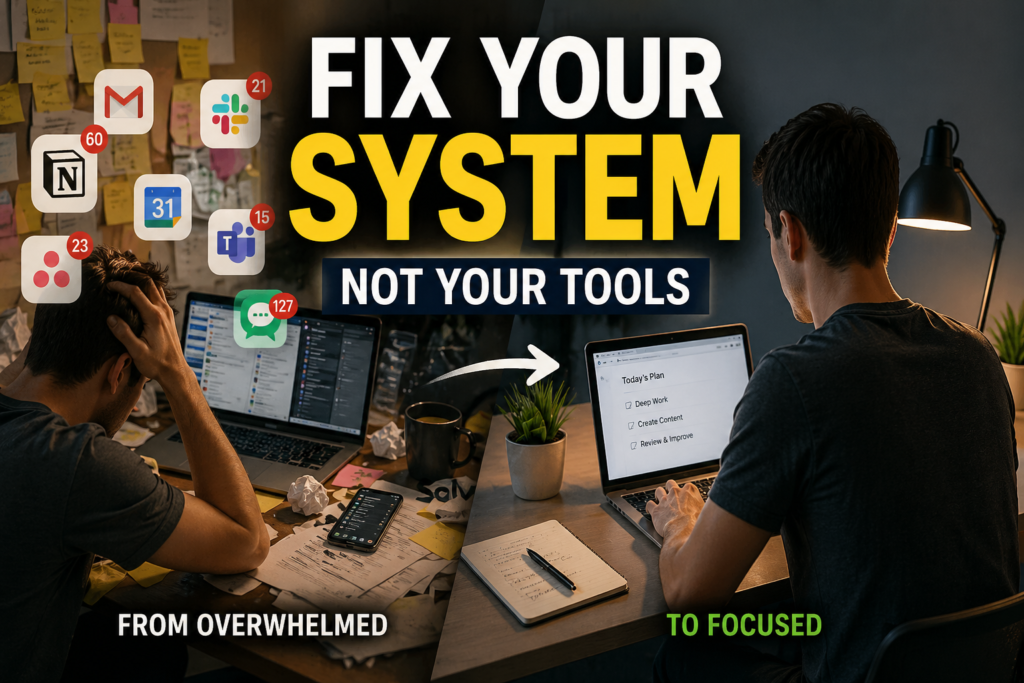
Introduction — When Your System Stops Working
At first, everything works perfectly.
You install a new app, organize your tasks, and set up a clean system. For a few days, your productivity clearly improves.
But then something changes.
The tasks are still there, but you start later. Your plans become more detailed, but execution slows down. Eventually, the system remains—but the habit disappears.
I’ve gone through this cycle multiple times. I rebuilt my Notion setup, reorganized my calendar, and even added automation.
But the result was always the same.
That’s when I realized something important:
👉 The problem wasn’t the tools—it was how the system actually worked.
Why Most Productivity Systems Break
1) Planning Is Easy. Starting Is Hard
Most productivity tools are optimized for planning and organization.
They help you:
structure tasks
organize projects
visualize your workflow
But there’s only one moment that actually produces results:
👉 the moment you start
Behavioral science suggests that action requires a clear trigger— a defined when, where, and what.
Without that, execution depends entirely on willpower.
2) Too Many Tools Increase Cognitive Load
It’s widely known that frequent app switching reduces focus.
Research, including studies from the University of California, Irvine, shows that after an interruption, it can take a significant amount of time to fully regain concentration.
In reality, the situation is even more complex:
messaging apps
email
document tools
AI platforms
👉 Each tool is efficient on its own—but together, they create a fragmented attention system.
3) Systems Built on Motivation Always Collapse
At the beginning, motivation is high.
So we build more complex systems:
more features
more structure
more optimization
But motivation fluctuates.
On the other hand, a repeatable system remains stable.
👉 Any system that depends on motivation will eventually fail.
What AI Actually Changes (And What It Doesn’t)
Over the past few months, I started actively integrating tools like ChatGPT and Notion into my workflow.
Some things improved immediately:
planning became faster
organization was almost automatic
idea generation required less effort
But one thing didn’t change:
👉 execution still depended on me
AI can tell you what to do.
👉 But it cannot decide when you actually start.
That’s when I changed my approach.
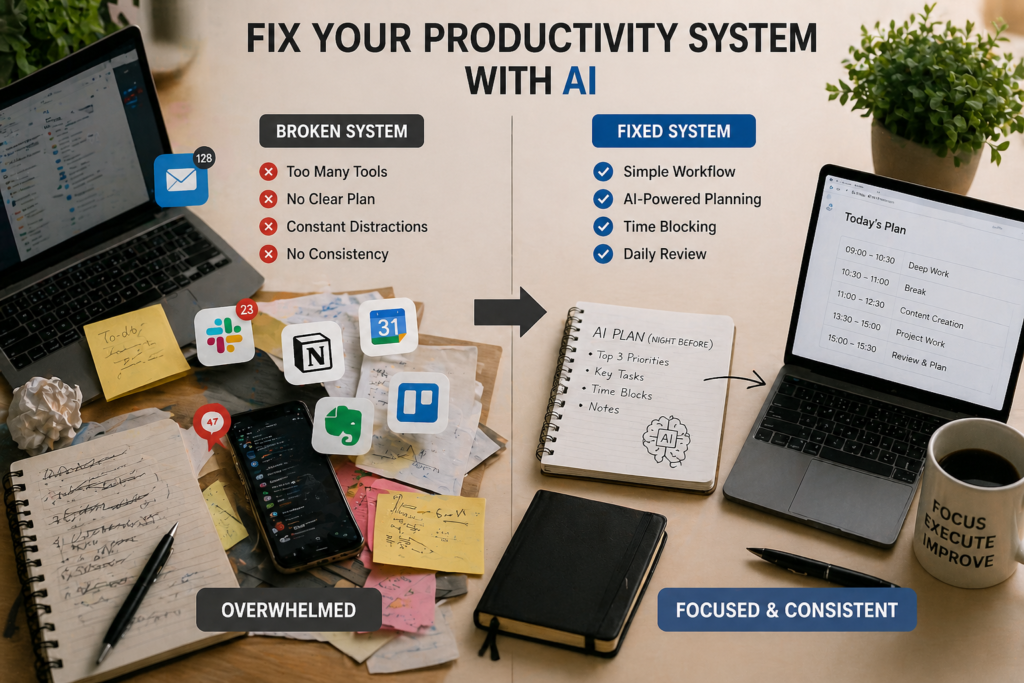
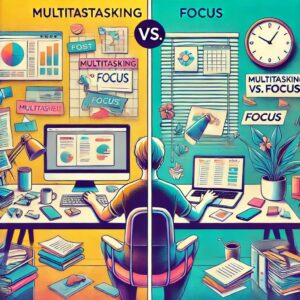
A clear comparison between a broken productivity system and a simplified AI-driven workflow, showing how reducing tools and structuring tasks leads to better focus and consistent execution.
The System That Actually Works (My Setup)
This is where everything shifted.
I moved from a tool-centered system to an action-centered system.
Step 1. Define a Non-Negotiable Start Time
The first change was simple:
👉 fix the start time
Every day at 9:00 AM → start work
The focus is not on what you do, but that you start
It sounds simple—but it works.
👉 When you remove the decision, you remove resistance.
Step 2. Use AI the Night Before (Not During Work)
I used to rely on AI during work.
The result:
broken flow
shifting priorities
reduced focus
So I changed the timing.
👉 Use AI the night before to prepare the next day
For example:
generate a task list
define priorities
organize execution order
The next day, there’s no planning—only execution.
Step 3. Convert Tasks Into Time Blocks
I didn’t remove task lists completely, but I changed the structure.
👉 from “tasks” → to “time blocks”
Example:
9:00–10:30 → deep work
10:30–11:00 → review
This change made one thing clear:
👉 time creates action
Step 4. Reduce Tools to One Core System
Before:
Notion + note apps + calendar + AI
Now:
Notion (core system)
AI (used only for preparation)
👉 The key was simplification.
More tools create more decisions. More decisions slow down execution.
Step 5. Build a Daily Feedback Loop
At the end of each day, I check just three things:
What did I actually complete?
Where did I hesitate?
What can I simplify tomorrow?
Over time, I realized:
👉 systems are not perfected by design—but by adjustment
A Simple Daily Example
Night: use AI to prepare the next day
Morning (9:00 AM): start immediately
Work: follow time blocks
Evening: quick review
After maintaining this structure, something unexpected happened:
👉 I planned less—but achieved more.
What I Learned (Personal Insight)
To be honest, I used to spend a lot of time searching for better tools.
Now I do the opposite.
👉 I use less—and repeat more.
And that made the biggest difference.
Final Insight
AI and SaaS tools are powerful.
But used incorrectly, they add complexity instead of clarity.
The principle is simple:
tools support preparation
systems create execution
repetition produces results
👉 All three must work together.
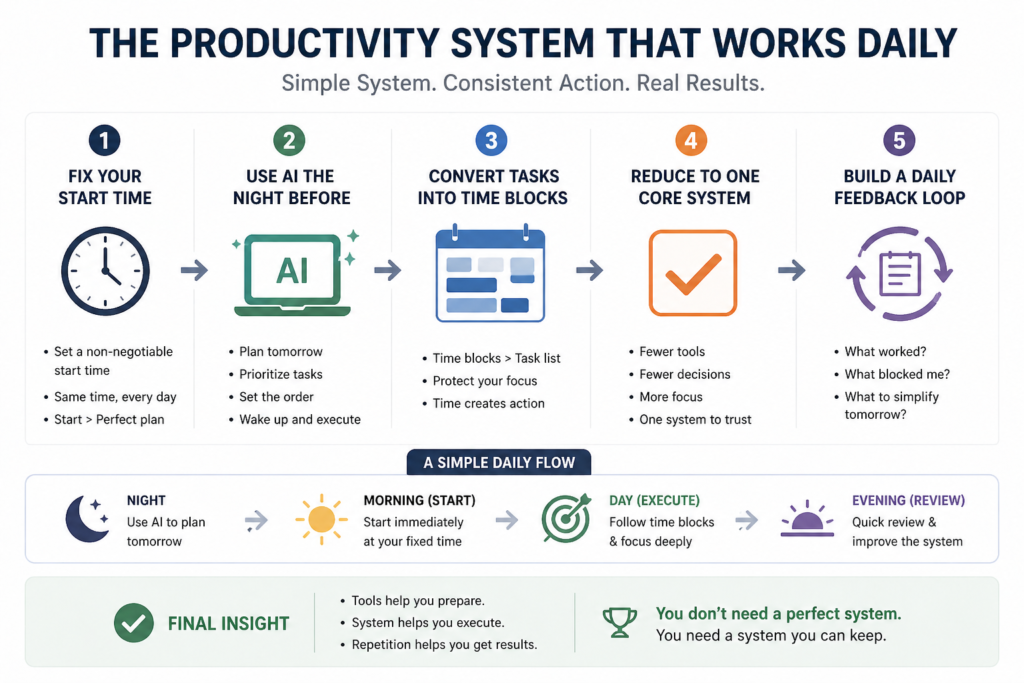
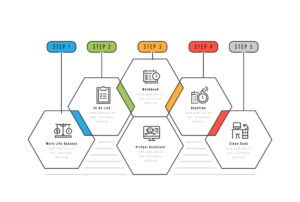
A complete overview of a simple AI-powered productivity system, showing how fixing your start time, planning with AI, using time blocks, simplifying tools, and building a feedback loop leads to consistent daily results.
Conclusion
If your productivity system feels broken, don’t replace it with another tool.
Instead:
fix when you start
simplify what you use
repeat what works
AI can help you think faster.
👉 But only a system can help you act consistently.
AI PRODUCTIVITY SYSTEMS
Recommended Reading
Explore more articles about AI workflow systems, productivity consistency, focus management, mental overload, and practical ways to build systems that actually work.
Coursera: AI Tools for Work
— Overview of modern AI productivity tools including workflow automation, scheduling, collaboration, and task management.
Best AI Workflow Automation Tools
— Analysis of how AI workflow systems reduce cognitive load, automate repetitive tasks, and improve operational efficiency.
Human-AI Collaboration Research
— Research discussing trust, automation complacency, workflow efficiency, and productivity in AI-assisted environments.
Fixing AI Workflow Procrastination
— A practical example showing how simplifying AI workflows reduced procrastination and improved execution consistency.


Pingback: AI Decision Fatigue: Why You Feel Mentally Tired